Project Purpose
Purpose for the Group Project
The purpose of our group’s program, The Travelers, is to serve as a comprehensive platform for travelers, offering convenience and fostering interest in exploration.
Purpose for My Individual Feature (CPT Requirement)
Feature 1 - Landscape
- This section displays globally famous landscapes, allowing users to explore and visualize iconic travel destinations. It provides descriptions and images, enhancing the user’s knowledge of different locations.
Feature 2 - Post System
- Users can share travel experiences by sending text. They can also collect posts in their profiles for future reference and social engagement. This feature promotes community interaction and allows users to document their journeys.
Reflect & Conclude
During this period of study, I learned how to create a dynamic database on the backend to store landscape data and successfully implemented interaction with the frontend. I became familiar with basic database operations, such as creating, reading, updating, and deleting (CRUD) data. Using Postman, I simulated adding and deleting data to test the functionality and reliability of backend APIs.
Additionally, I applied these features to the frontend by sending requests to the backend, enabling dynamic updates and displays of data. This process gave me a deeper understanding of the collaboration between backend and frontend development and enhanced my proficiency in API calls and data interaction.
Working Plan
After confirming the theme of our group website, Travel, I immediately created a to-do list on my own, including a burndown for each task.
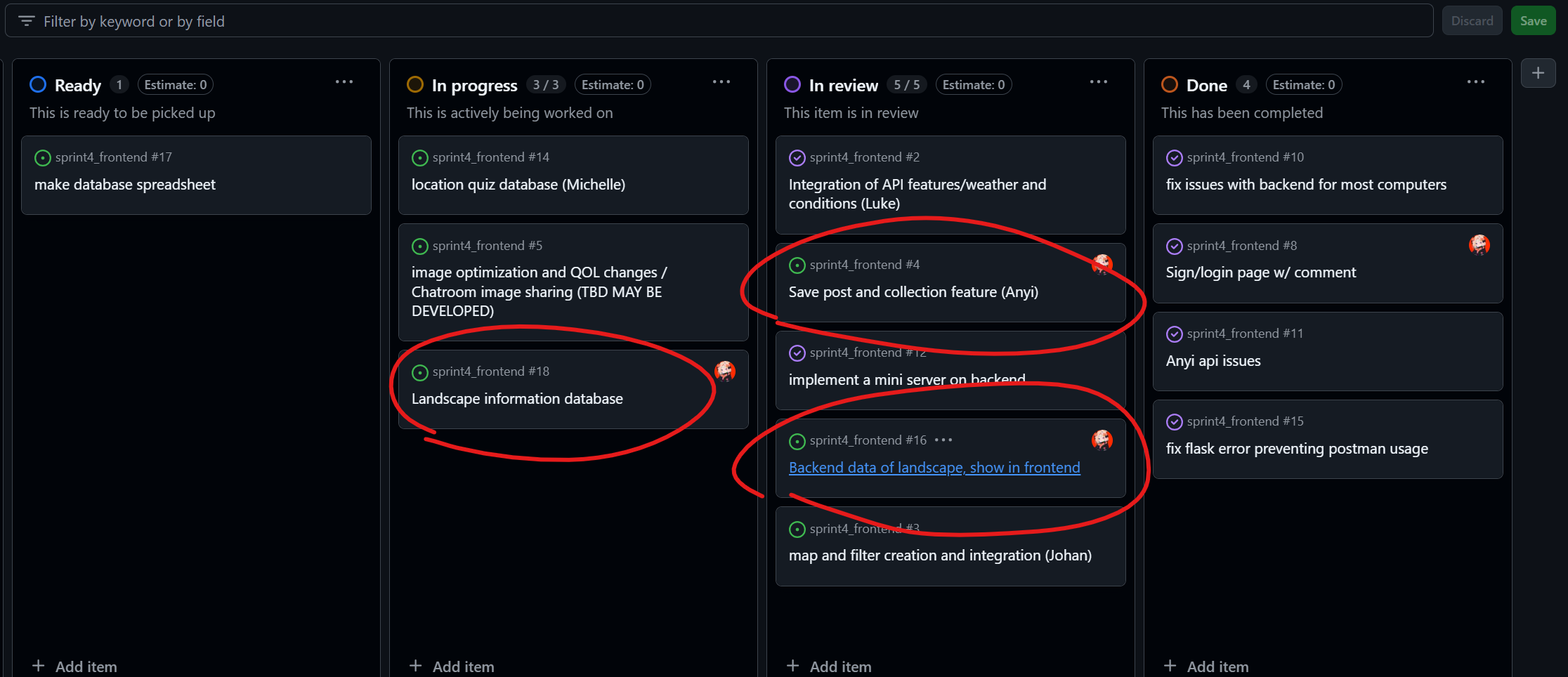
Working Journal
Create a Database in Backend
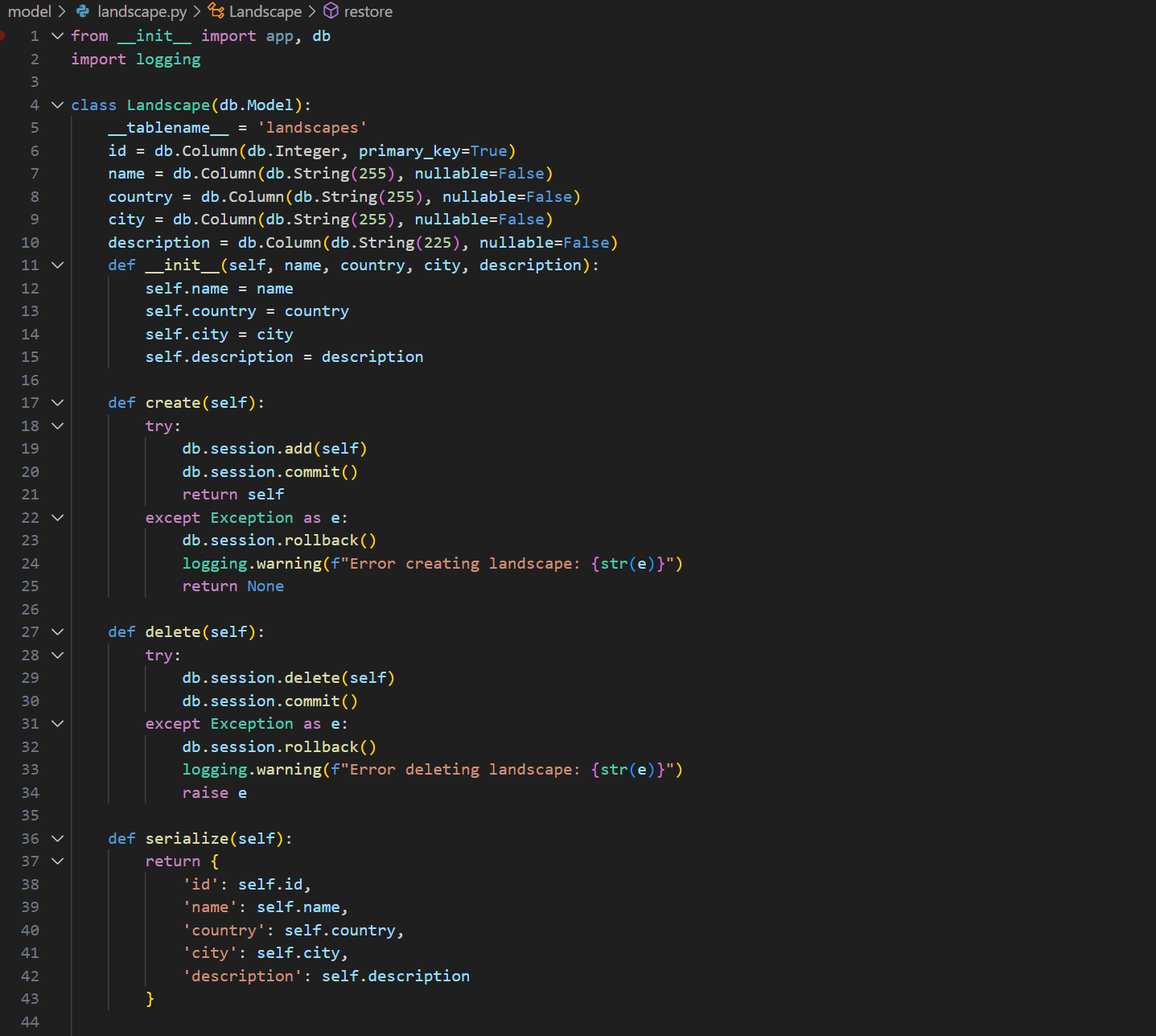
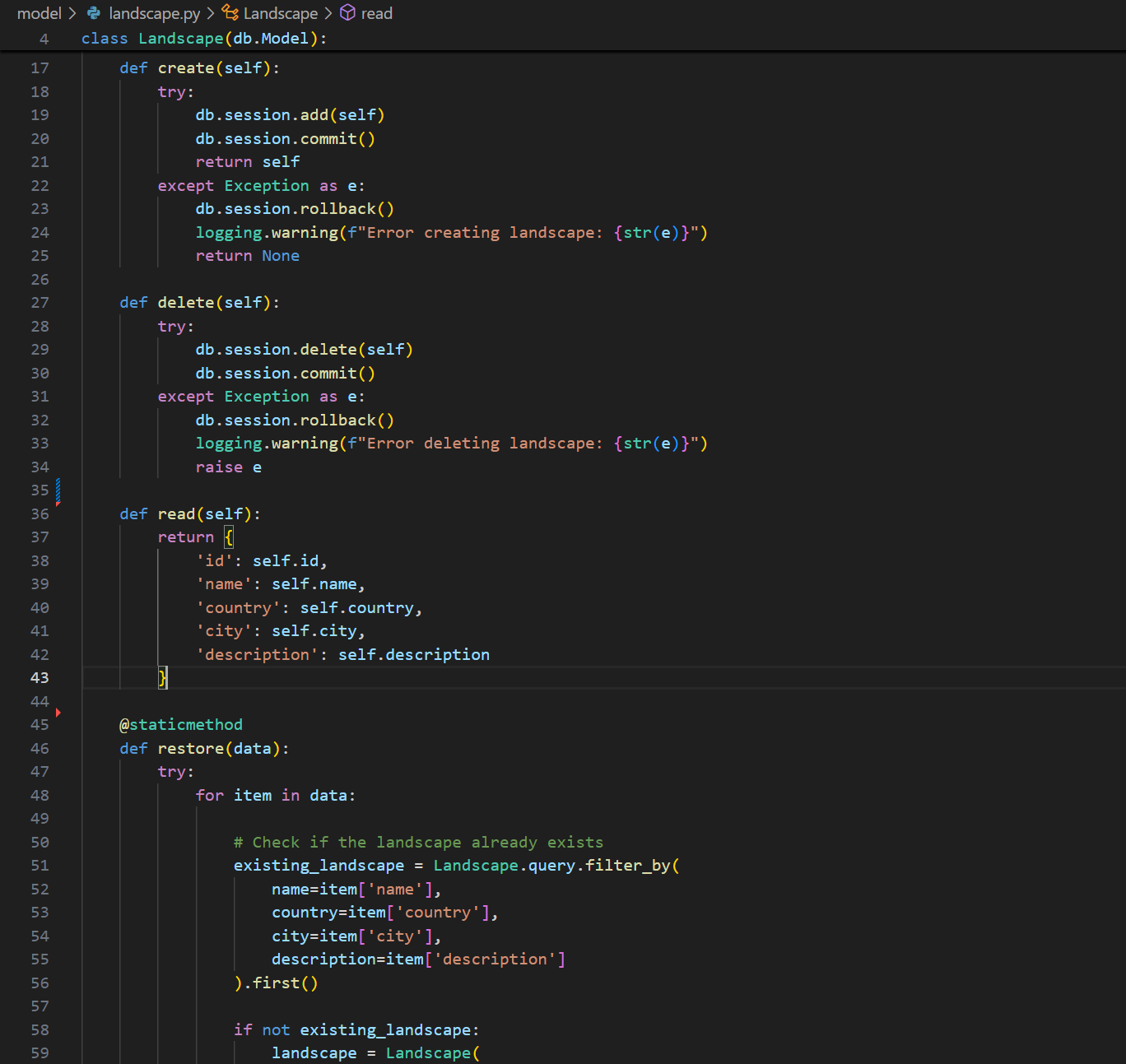
Here’s model/landscape.py
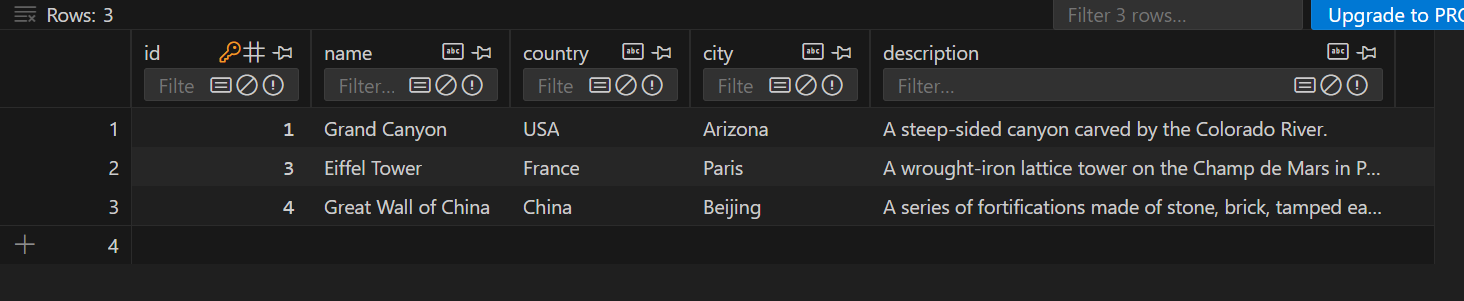
Here’s the database table
Add/Delete Data
addition in model/landscape.py
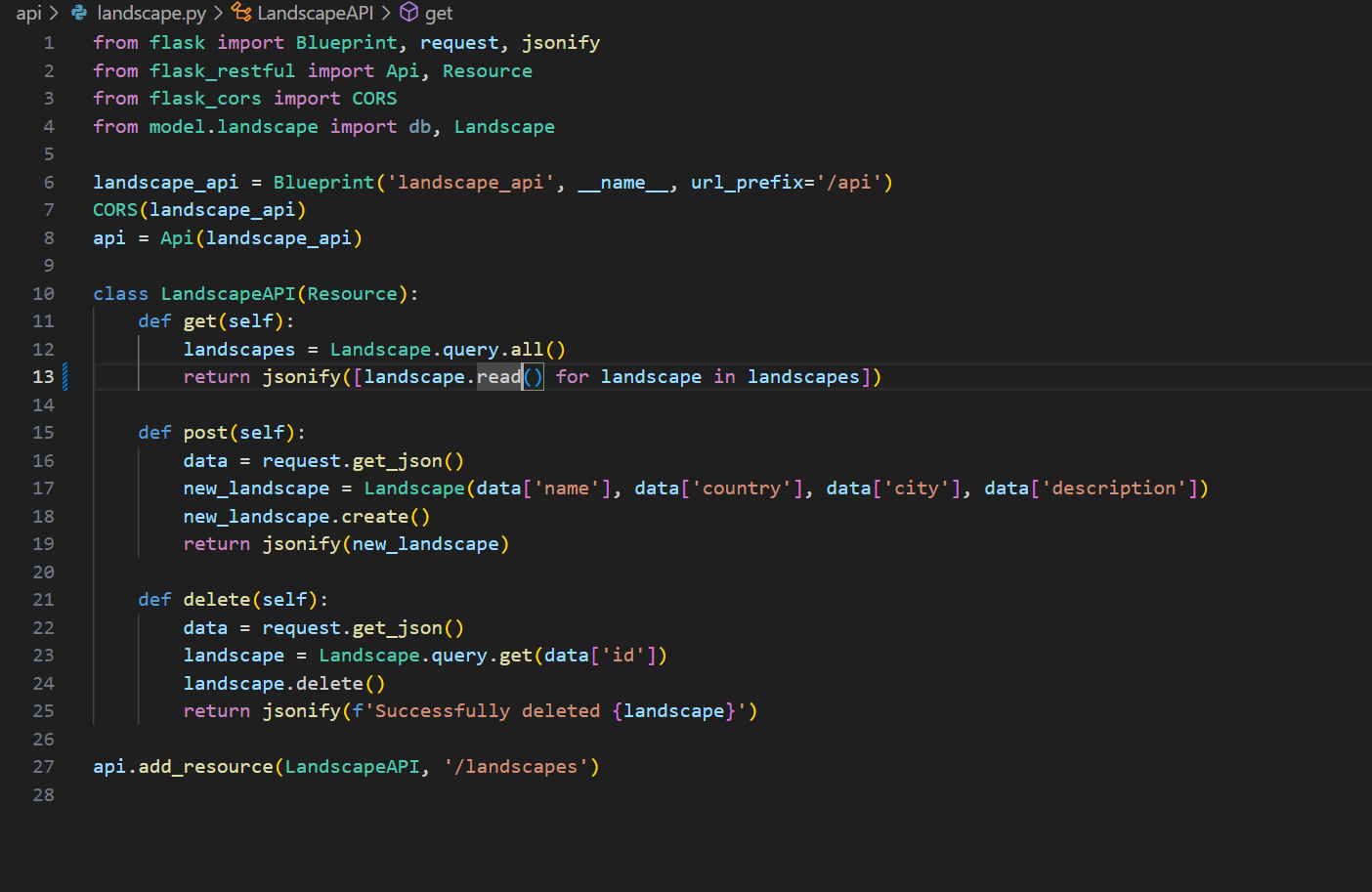
I add an api/landscape.py in order to have a host to run
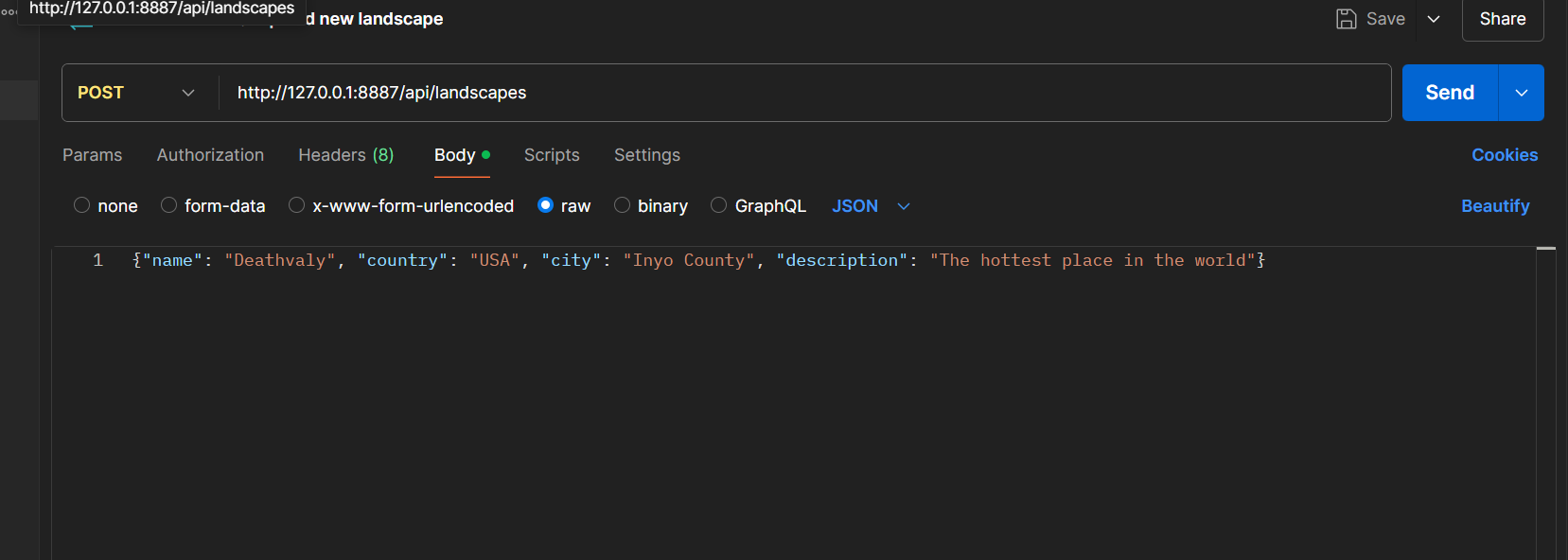
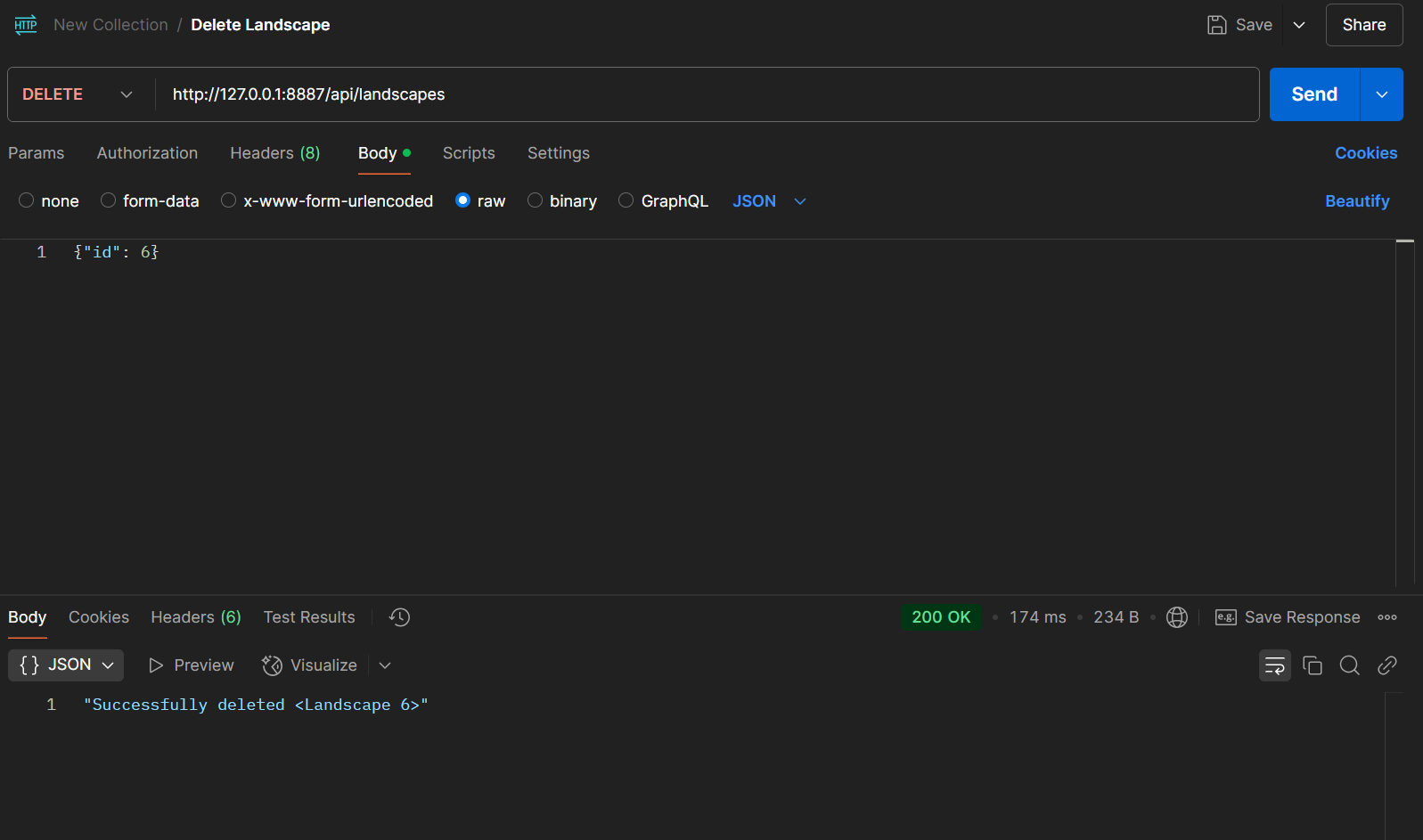
After that, I test them in postman
Initialize, Backup & Restore Data
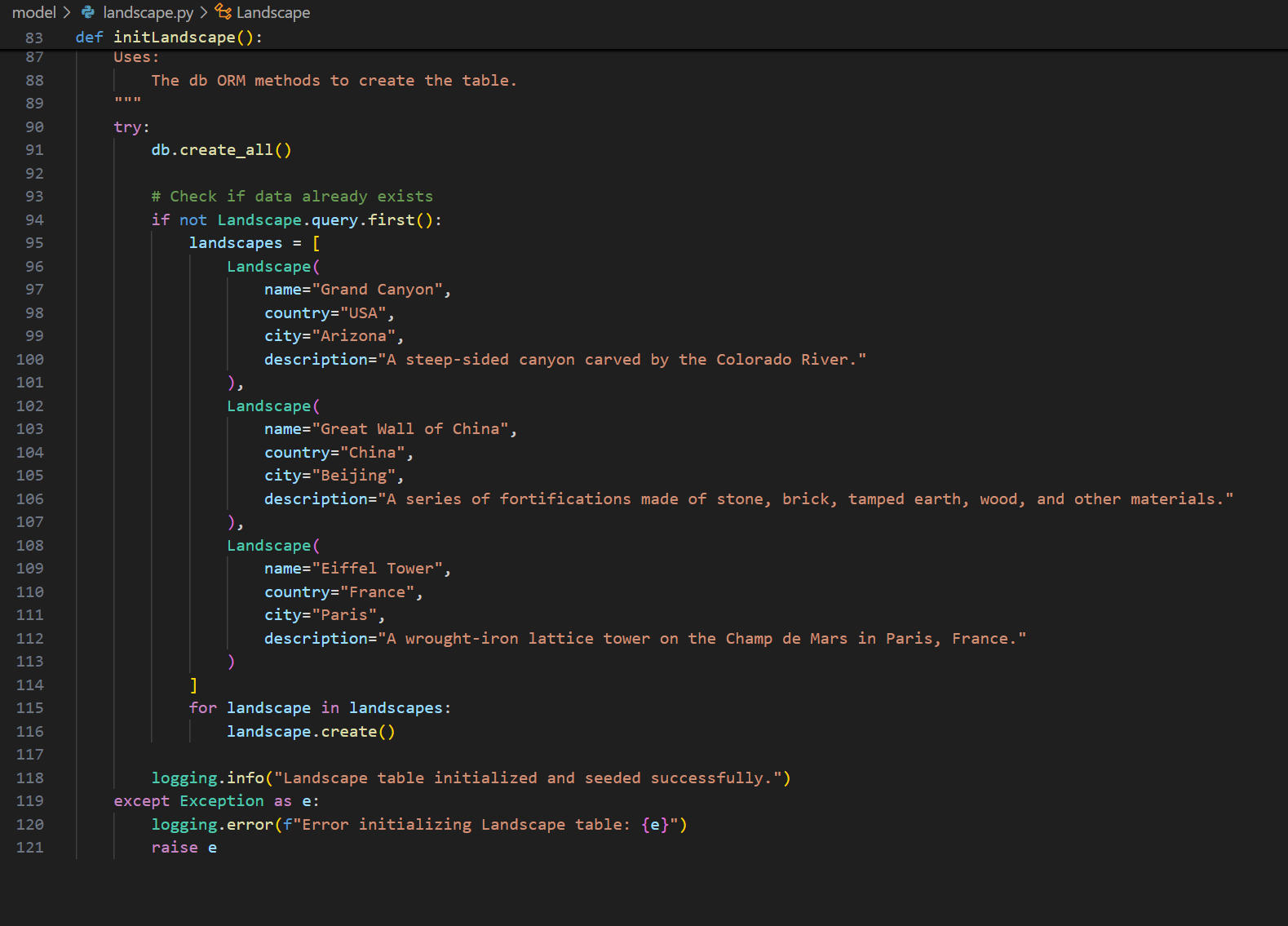
I also restored my data in backend. After writing the content to be stored in main.py, I ran db_backup.py and obtained a JSON file that stores the landscape data.

This way, even if I accidentally delete some data, I can restore it by running db_restore.py to retrieve it from the backup.
Connect Backend to Frontend
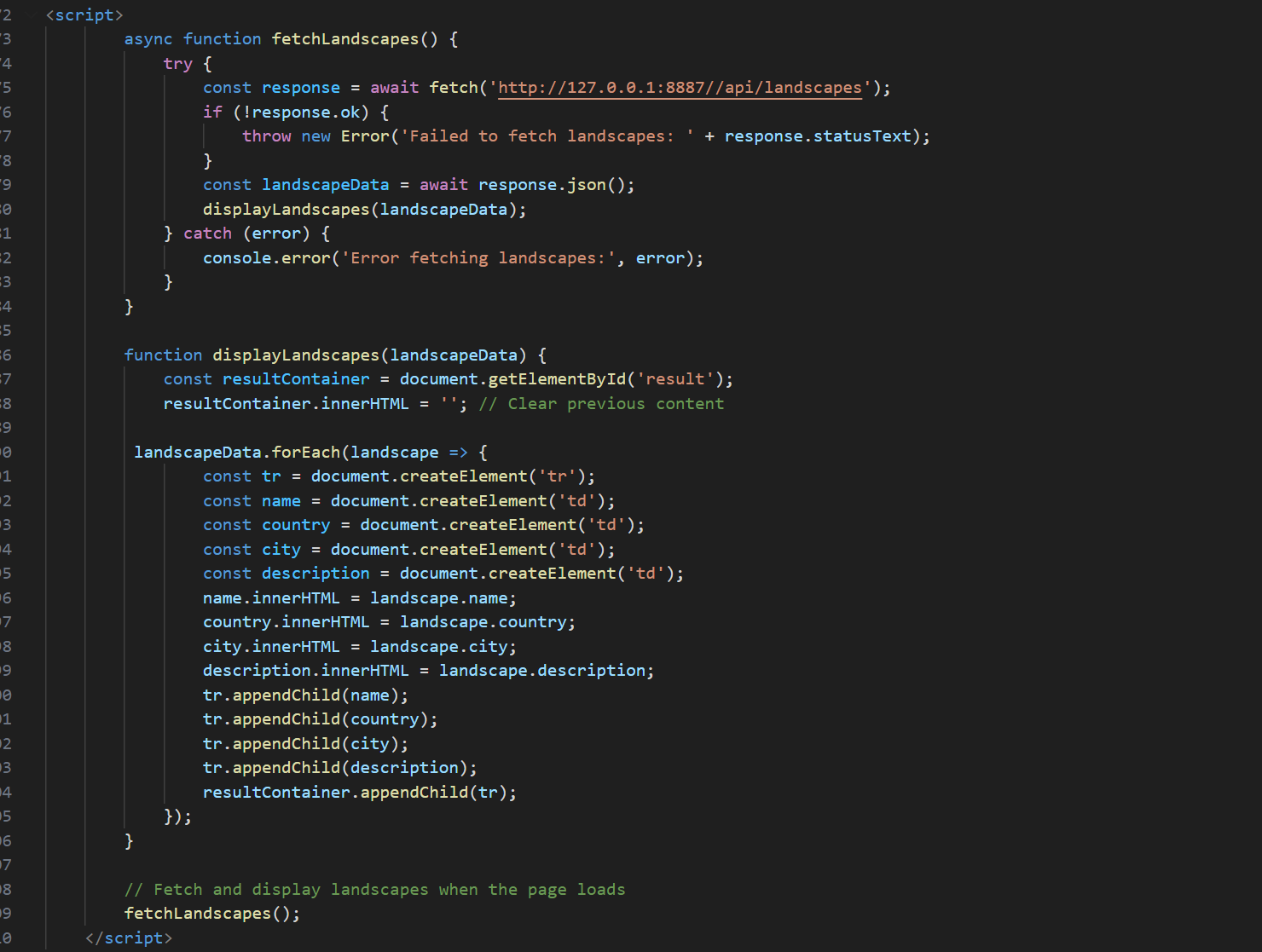
I fetch the data in backend to frontend
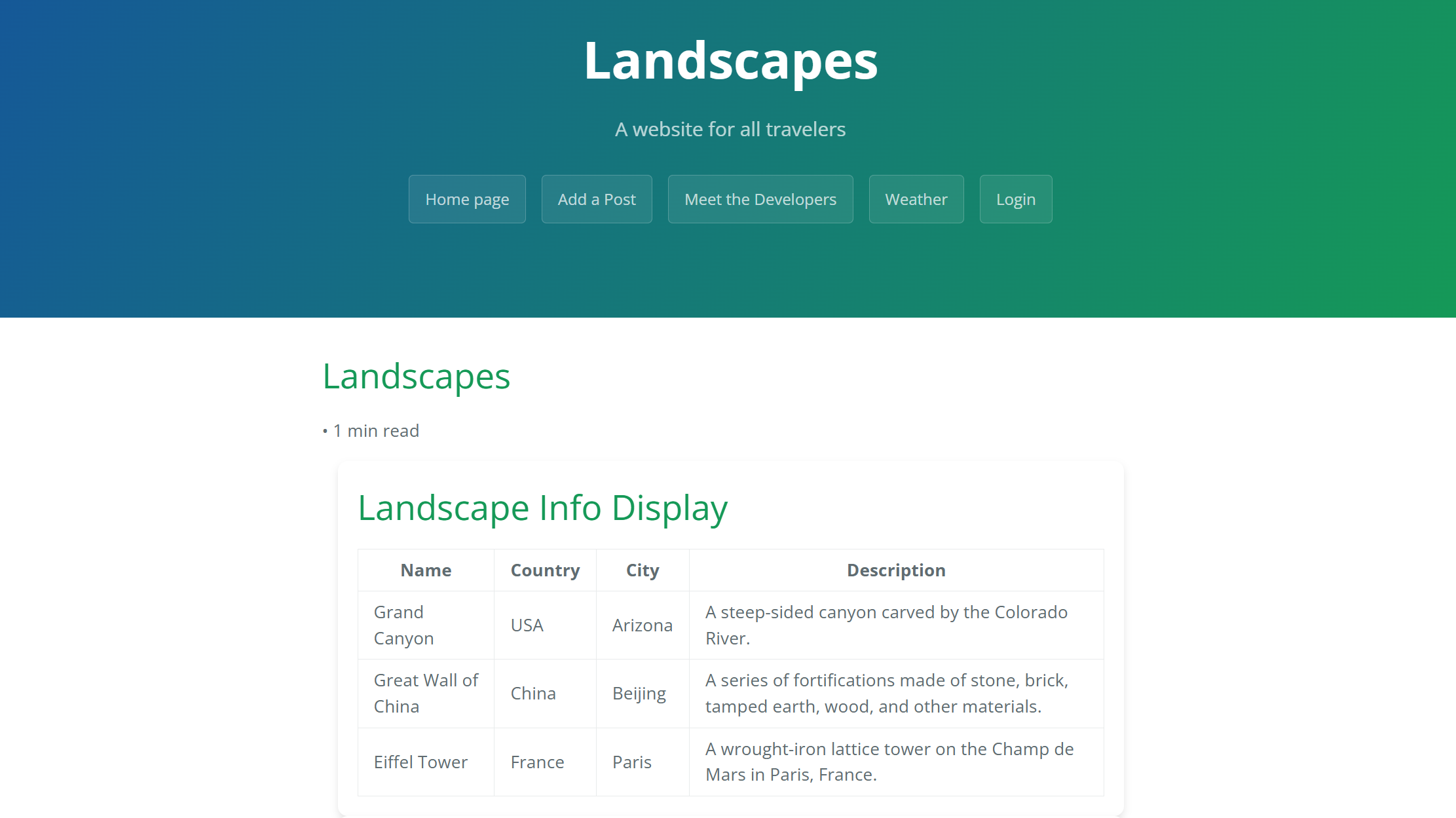
After doing that, the data is showing in frontend as a table that contain landscapes and more details
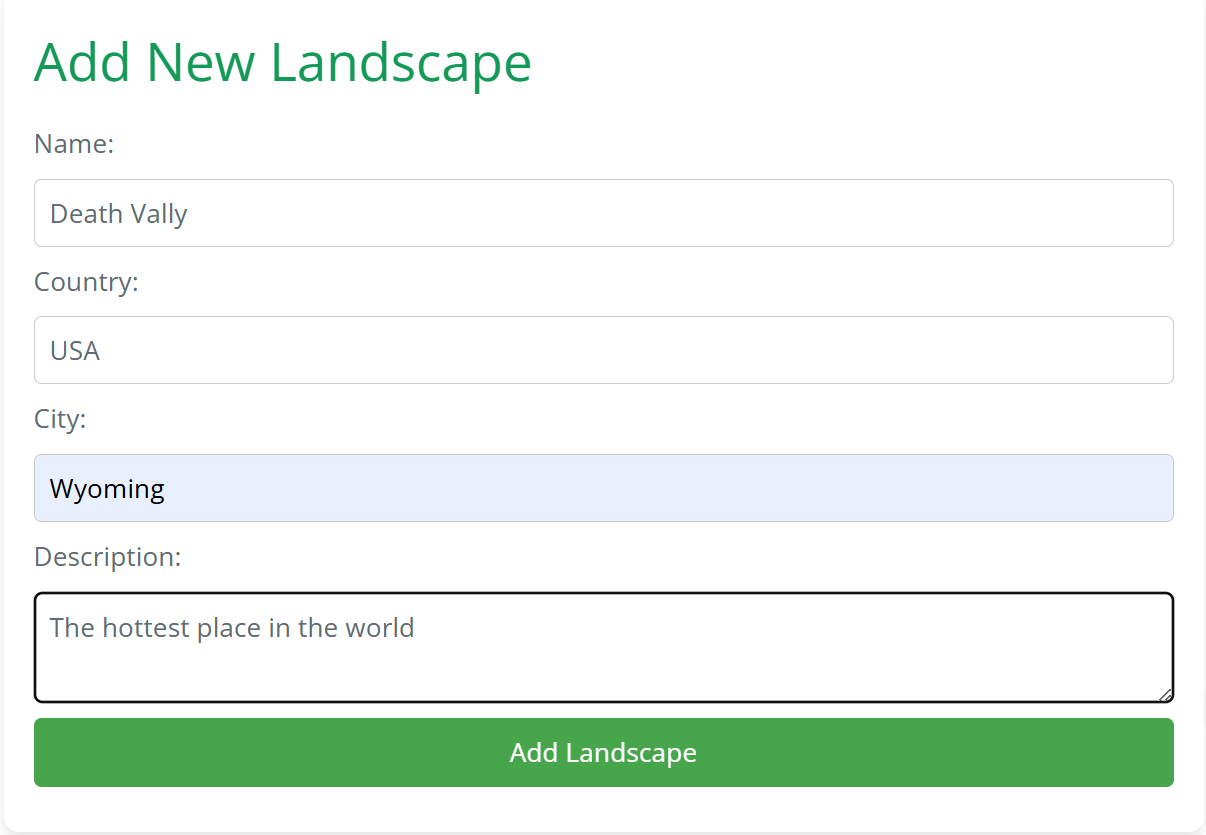
I also apply the add function to my frontend
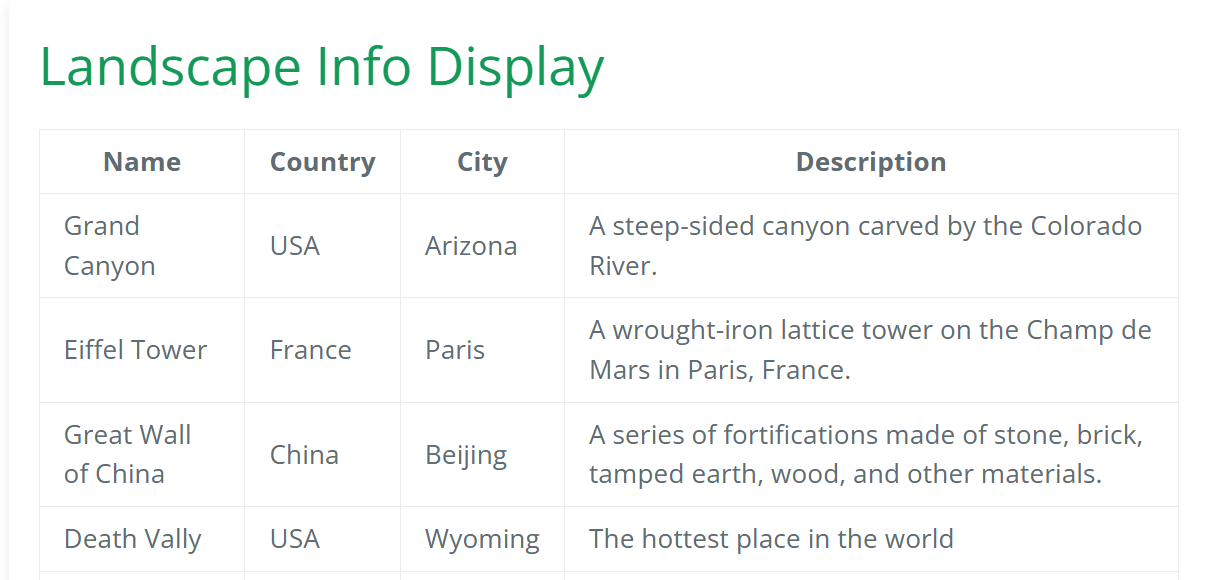
Here is the result
Future Plan
I will continue to improve on the existing foundation, attempting to add the functionality of storing photos in the database and allowing users to upload photos on frontend.
Important Knowledge
- Formatting response data (JSON) from API into DOM
- When an API returns data in JSON format, the frontend must process and display it dynamically in the Document Object Model (DOM).
- How it works:
- The API sends JSON data.
- The JavaScript
fetchfunction retrieves it. - The JSON response is parsed and displayed dynamically in the browser.
- Explaination of code
-
The fetchLandscapes function makes an asynchronous request to the API.
-
If the response is successful, the JSON data is parsed and passed to displayLandscapes.
-
The displayLandscapes function dynamically creates table rows (<tr>) and cells (<td>) to display the data.
-
const pythonURI = (() => {
    if (location.hostname === "localhost" || location.hostname === "127.0.0.1") {
        return "http://127.0.0.1:8402"; // Local development
    } else {
        return "https://flask2025.nighthawkcodingsociety.com"; // Production
    }
})();

async function fetchLandscapes() {
    try {
        const response = await fetch(`${pythonURI}/api/landscapes`);
        if (!response.ok) {
            throw new Error(`HTTP error! Status: ${response.status}`);
        }
        const landscapeData = await response.json();
        displayLandscapes(landscapeData);
    } catch (error) {
        console.error('Error fetching landscapes:', error);
    }
}

function displayLandscapes(landscapeData) {
    const resultContainer = document.getElementById('result');
    resultContainer.innerHTML = ''; // Clear previous content

    landscapeData.forEach(landscape => {
        const tr = document.createElement('tr');
        const name = document.createElement('td');
        const country = document.createElement('td');
        const city = document.createElement('td');
        const description = document.createElement('td');

        name.textContent = landscape.name; // Use textContent for security
        country.textContent = landscape.country;
        city.textContent = landscape.city;
        description.textContent = landscape.description;

        tr.appendChild(name);
        tr.appendChild(country);
        tr.appendChild(city);
        tr.appendChild(description);
        resultContainer.appendChild(tr);
    });
}
- Queries from the database where you extract a Python List (rows)
- In many web applications, database queries return lists of rows, which represent multiple records from a table.
- Third-Party Libraries Used:
SQLite3 - Explaination of code:
-
The
get_all_landscapesmethod queries the database to retrieve all records from the landscapes table. -
Each record is serialized into a dictionary using the
readmethod. -
If an error occurs, it is logged, and an empty list is returned.
-
@staticmethod
def get_all_landscapes():
    """
    Retrieves all landscapes from the database and returns them as a list of dictionaries.
    """
    try:
        landscapes = Landscape.query.all()
        return [landscape.serialize() for landscape in landscapes]
    except Exception as e:
        logging.warning(f"Error retrieving landscapes: {str(e)}")
        return []

def read(self):
    """
    Converts a Landscape object into a dictionary.
    """
    return {
        'id': self.id,
        'name': self.name,
        'country': self.country,
        'city': self.city,
        'description': self.description
    }
- Methods in “Class” to Work with Columns (Create, Read, Update, Delete)
- Object-oriented programming (OOP) allows us to encapsulate database operations in a class. This improves code organization and maintainability.
- Explaination of code:
-
The
Landscapeclass defines the structure of thelandscapestable and includes methods for CRUD operations. -
The
createmethod inserts a new record into the database. -
The
deletemethod removes a record from the database. -
The
readmethod returns a dictionary representation of the record.
-
from __init__ import app, db
import logging

class Landscape(db.Model):
    __tablename__ = 'landscapes'
    id = db.Column(db.Integer, primary_key=True)
    name = db.Column(db.String(255), nullable=False)
    country = db.Column(db.String(255), nullable=False)
    city = db.Column(db.String(255), nullable=False)
    description = db.Column(db.String(225), nullable=False)

    def __init__(self, name, country, city, description):
        self.name = name
        self.country = country
        self.city = city
        self.description = description

    def create(self):
        try:
            db.session.add(self)
            db.session.commit()
            return self
        except Exception as e:
            db.session.rollback()
            logging.warning(f"Error creating landscape: {str(e)}")
            return None

    def delete(self):
        try:
            db.session.delete(self)
            db.session.commit()
        except Exception as e:
            db.session.rollback()
            logging.warning(f"Error deleting landscape: {str(e)}")
            raise e

    def read(self):
        return {
            'id': self.id,
            'name': self.name,
            'country': self.country,
            'city': self.city,
            'description': self.description
        }
def update(self, name=None, country=None, city=None, description=None):
    """
    Updates the landscape's attributes.
    """
    try:
        if name:
            self.name = name
        if country:
            self.country = country
        if city:
            self.city = city
        if description:
            self.description = description
        db.session.commit()
        return self
    except Exception as e:
        db.session.rollback()
        logging.warning(f"Error updating landscape: {str(e)}")
        return None
- Algorithmic Code to Handle a Request
- When an API request is made, an algorithm processes the incoming data.
- If name is provided → Returns success message.
- If name is missing → Returns an error.
def delete(self):
    """
    Deletes a landscape based on the ID provided in the request body.
    """
        data = request.get_json()
        landscape = Landscape.query.get(data['id'])
        if landscape:
            landscape.delete()
            return jsonify(landscape.read()), 200
        else:
            return jsonify({"error": "Landscape not found"}), 404
- API Class for GET, POST, PUT, DELETE
- Web APIs use HTTP methods to interact with data. A Flask API class is used to implement RESTful endpoints.
- Usage
- GET retrieve all
- POST create a new
- PUT update an existing class
- DELETE remove
- Explaination of code:
-
The
createmethod corresponds to the HTTP POST method. -
The
deletemethod corresponds to the HTTP DELETE method. -
The
readmethod corresponds to the HTTP GET method.
-
def create(self):
        try:
            db.session.add(self)
            db.session.commit()
            return self
        except Exception as e:
            db.session.rollback()
            logging.warning(f"Error creating landscape: {str(e)}")
            return None

def delete(self):
        try:
            db.session.delete(self)
            db.session.commit()
        except Exception as e:
            db.session.rollback()
            logging.warning(f"Error deleting landscape: {str(e)}")
            raise e

def read(self):
        return {
            'id': self.id,
            'name': self.name,
            'country': self.country,
            'city': self.city,
            'description': self.description
        }
- Method in Class Containing Sequencing, Selection, Iteration
- Retrieve (sequencing).
- Loops through each (iteration).
- Checks conditions (selection).
- The
restoremethod retrieves data, loops through each item, and checks conditions. - Explaination of code:
-
The
restoremethod iterates through a list of landscapes. -
For each landscape, it checks if the record already exists in the database.
-
If the record does not exist, it is added to the database.
-
@staticmethod
def restore(data):
    try:
        for item in data:
            existing_landscape = Landscape.query.filter_by(
                name=item['name'],
                country=item['country'],
                city=item['city'],
                description=item['description']
            ).first()
            if not existing_landscape:
                landscape = Landscape(
                    name=item['name'],
                    country=item['country'],
                    city=item['city'],
                    description=item['description']
                )
                db.session.add(landscape)
        db.session.commit()
        return True
    except Exception as e:
        db.session.rollback()
        logging.warning(f"Error restoring landscapes: {str(e)}")
        return False
- Parameters (Body of Request) & Return Type (jsonify)
- APIs accept request body parameters and return structured JSON responses
- Explaination of code:
-
The
fetchfunction sends aPOSTrequest to the API endpoint. -
The request body contains the landscape data in JSON format.
-
The API processes the request and returns a JSON response.
-
const response = await fetch(`${pythonURI}/api/landscapes`, {
    method: 'POST',
    headers: {
        'Content-Type': 'application/json'
    },
    body: JSON.stringify(formData)
});
- Code Block to Make a Request (Call to Algorithm Request)
- API requests can be made using requests in Python.
- Explaination of code:
-
The
fetchfunction sends aPOSTrequest to the API endpoint. -
The request body contains the landscape data in JSON format.
-
const response = await fetch(`${pythonURI}/api/landscapes`, {
    method: 'POST',
    headers: { 'Content-Type': 'application/json' },
    body: JSON.stringify(formData)
});
- Fetching API Data (Call to Method with Algorithm)
- The client needs to make an API call to fetch data from a server.
- Explaination of code:
-
The
pythonURIvariable dynamically sets the API endpoint based on the environment. -
The
fetchLandscapesfunction makes an asynchronous request to the API. -
If the request is successful, the data is displayed using the
displayLandscapesfunction.
-
const pythonURI = (() => {
    if (location.hostname === "localhost" || location.hostname === "127.0.0.1") {
        return "http://127.0.0.1:8402";
    } else {
        return "https://flask2025.nighthawkcodingsociety.com";
    }
})();

async function fetchLandscapes() {
    try {
        const response = await fetch(`${pythonURI}/api/landscapes`);
        const landscapeData = await response.json();
        displayLandscapes(landscapeData);
    } catch (error) {
        console.error('Error fetching landscapes:', error);
    }
}
- Handling API Response (Fetch & Data Handling)
- Once the data is retrieved, it must be properly processed and displayed.
- Explaination of code:
-
The
response.okproperty checks if the API request was successful. -
If the request fails, an error is thrown.
-
The
fetchLandscapesfunction is called to initiate the data fetch process.
-
if (!response.ok) {
    throw new Error('Failed to fetch landscapes: ' + response.statusText);
}
fetchLandscapes();